Wallpaper and background creation
AI Wallpaper Generator for Desktop and Mobile
Use Caika to create a wallpaper around a landscape, city, space scene, neon environment, or minimal composition. Choose the target screen ratio first, then place the focal subject and quiet space around icons, widgets, or text.
A generated wallpaper may crop differently across devices and can contain visual artifacts at full size. Check the real display dimensions, safe areas, edge crops, contrast, and detail before using or distributing it.
Real AI wallpaper examples and prompts
These published works cover forests, surreal trees, cinematic landscapes, coastal villages, gardens, and tranquil waterscapes. Open an example to inspect its full prompt and model.
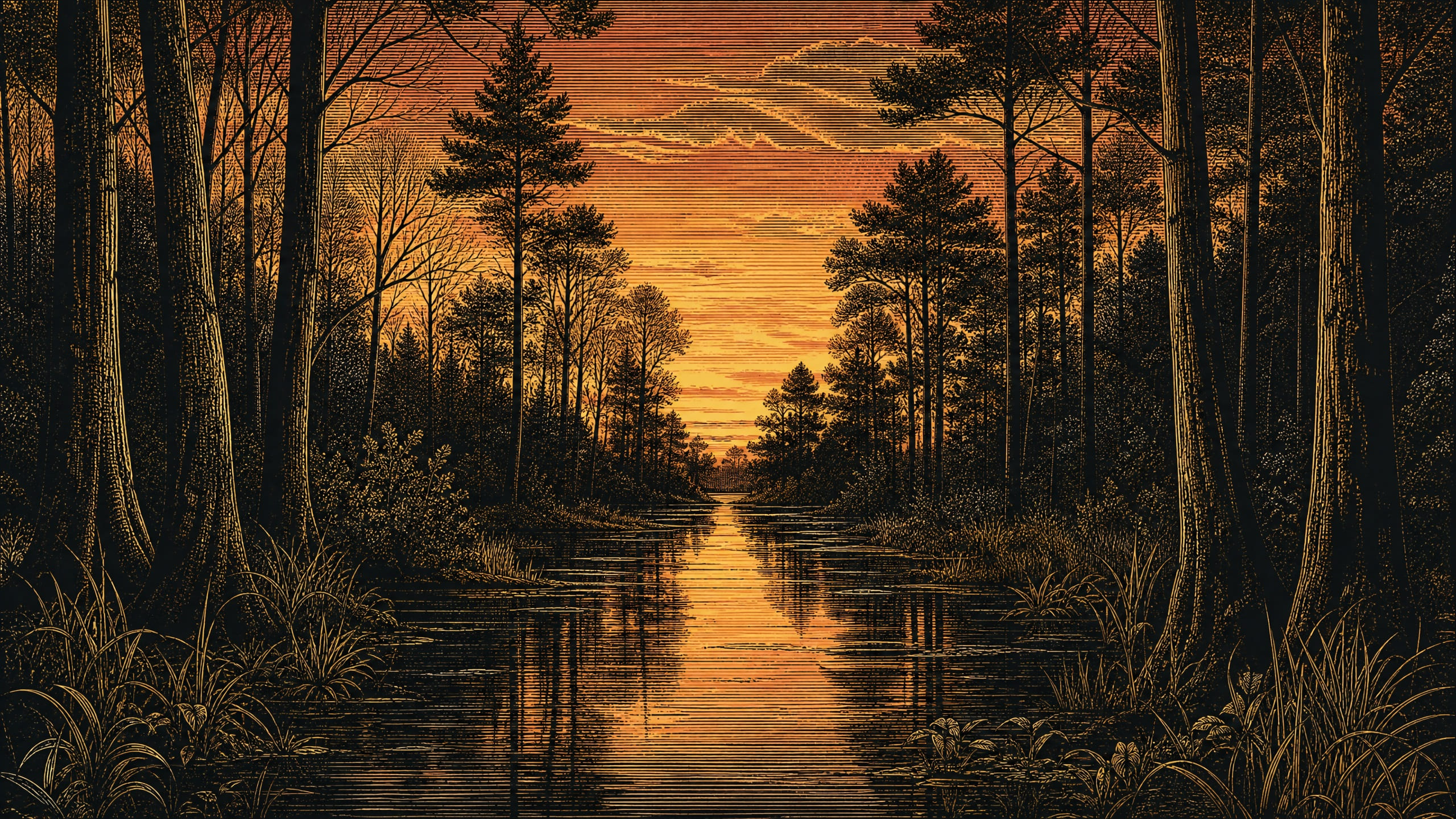
A highly detailed vintage-style landscape illustration of a quiet forest wetland at dusk, rendered with the look of an engraved print or scratchboard artwork. The scene is dominated by deep black silhouettes and warm golden linework, with a glowing sky that shifts from pale yellow at the horizon to soft orange and muted rose higher up, reflected in still dark water running through the center. Environment: • Dense woodland with tall, slender tree trunks framing both sides of the image • Mixed tree silhouettes, including bare branches and clustered pine canopies, receding into the distance • A narrow stream or flooded path runs from the foreground toward the center background, creating a strong visual corridor • Low grasses, reeds, and small plants line the banks and foreground edges • Background remains dark and uncluttered, with no buildings, animals, or human presence Lighting: • Strong backlit sunset glow centered on the horizon behind the trees • Warm luminous sky reflected in the water as elongated highlights • Trees and ground remain mostly in silhouette with fine illuminated edge detail • Avoid modern artificial lighting, harsh directional spotlighting, or blown-out highlights Materials: • Engraved ink-like texture with etched linework throughout trees, water, and vegetation • High contrast between matte black shadow masses and metallic-gold or cream-colored etched highlights • Water surface appears glossy and still, with delicate linear ripples and mirrored reflections • Bark, branches, and grasses show fine hand-carved texture Composition: • Symmetrical, centered composition with the waterway leading straight into the distance • Vertical tree trunks create a natural frame on both left and right sides • Horizon glow placed centrally, drawing the eye through the forest • Square aspect ratio, balanced negative space, landscape fills the entire frame Mood: Quiet, mysterious, contemplative twilight atmosphere with a timeless storybook print quality Shot as a square-format vintage engraving landscape, ultra-detailed linework, high contrast, dusk palette, reflective water, fine-art realism in etched print style.
Open prompt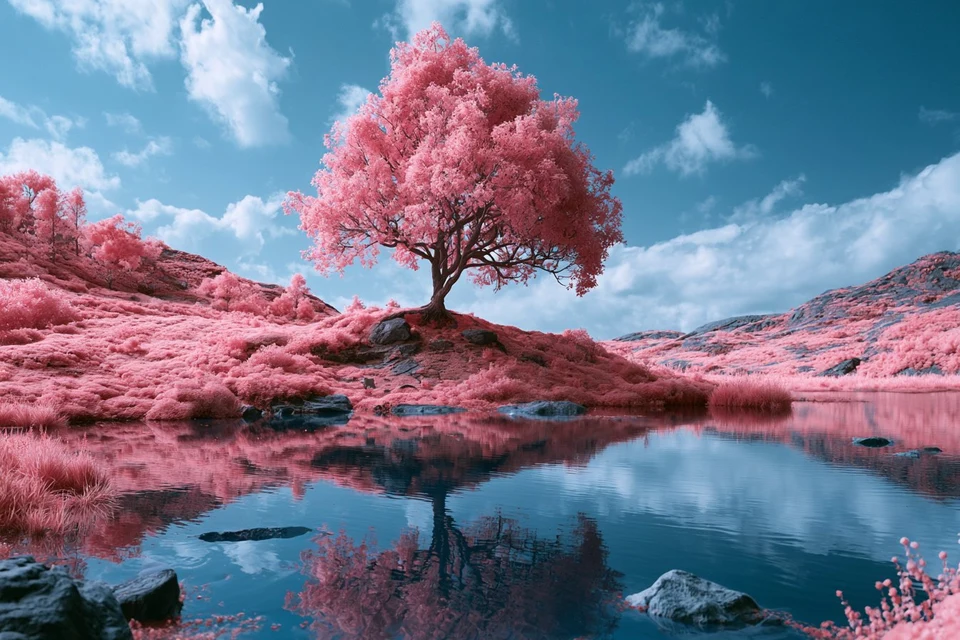
An otherworldly landscape featuring [SUBJECT] in a Solarized Infrared Dreamscape. Use a palette of [COLOR1] and [COLOR2] to mimic the surreal tones of infrared photography, with distorted foliage, glowing water, and a dreamlike atmosphere Check ALTS
Open prompt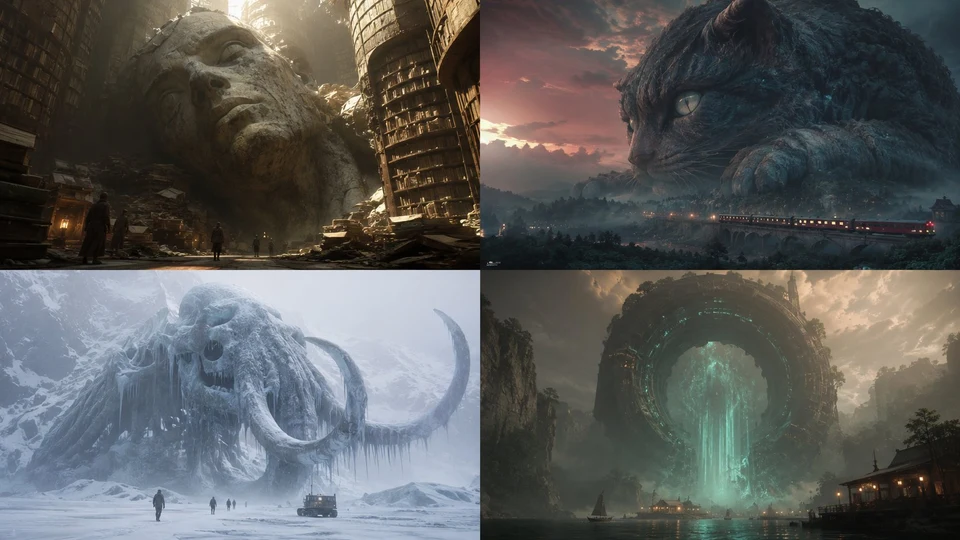
2x2 grid, 16:9, AI infers subjects: INPUT = [TOPIC / EMOTIONAL_MODE / VIEWER_CONTEXT / ENVIRONMENT] Run SUBLIME_SCALE_EXTRACTION: TOPIC_DNA := infer category, symbolic meaning, material identity, recognizable visual signature, and emotional weight MONUMENTAL_FORM := infer how TOPIC becomes colossal: landform, celestial body, ruin, machine, fossil, statue, megastructure, living organism, storm, portal, archive, city, wall, ocean, skeleton, temple, data object, or symbolic mass SCALE_ANCHOR := infer what makes the size readable: human figure, vehicle, doorway, trees, buildings, birds, lights, roads, ships, scaffolds, footprints, shadows, or atmospheric layers ENVIRONMENT_DNA := infer terrain or interior: desert, ocean, ice field, canyon, megastructure hall, city edge, forest, cave, orbital window, museum, battlefield, plain, laboratory, dream space, or other CAMERA_DNA := infer low-angle, ultra-wide, distant telephoto, architectural interior, ground-level, horizon-scale, or IMAX-like framing ATMOSPHERE := infer haze, dust, fog, mist, darkness, glow, scale falloff, backlight, rim light, or silence SURFACE_LANGUAGE := infer cracks, clouds, carved stone, metal plating, biological texture, city lights, erosion, strata, data lines, weathering, or symbolic texture Render: A cinematic image where TOPIC becomes a vast encounter scene and the viewer understands scale through environment and tiny reference points. Forbidden: hard-coded planet, fixed giant head, fixed human silhouette, fixed desert plain, fixed space window, decorative scale without logic.
Open prompt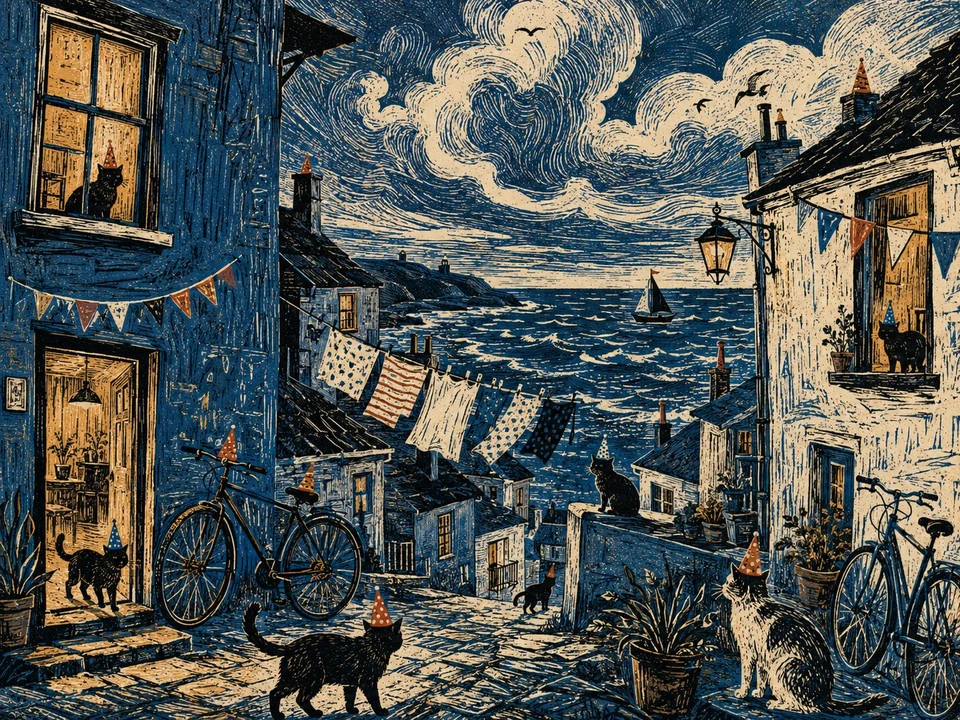
A tiny seaside town seen during a windy blue-hour evening, laundry fluttering between crooked buildings, bicycles leaning against painted walls, cats wandering through open doorways and enormous clouds rolling over the water, intricate LINOCUT / WOODCUT aesthetic, carved lines, strong contrast, layered handmade texture and a limited but striking color palette.
Open prompt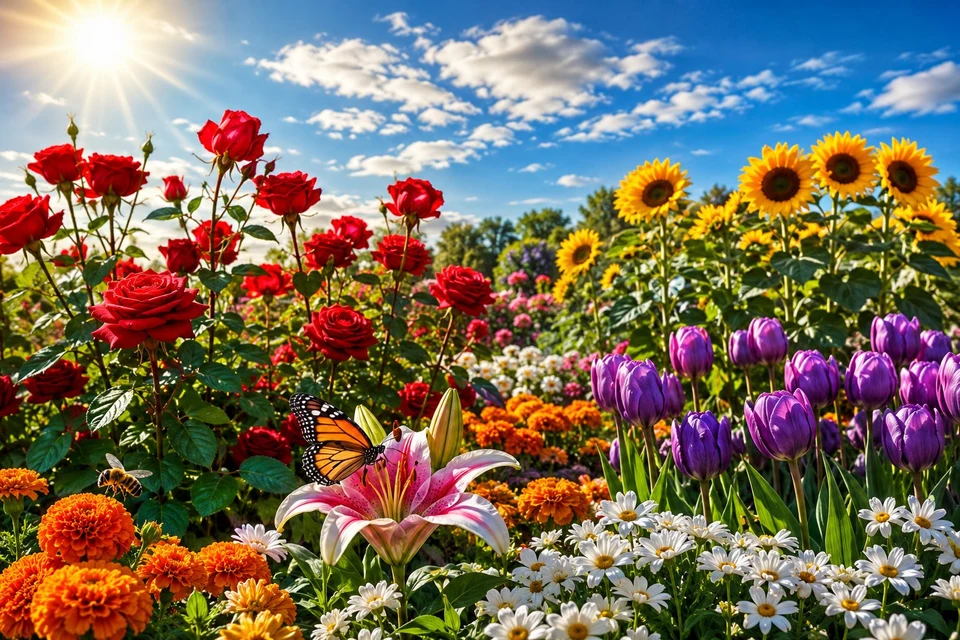
{ "prompt": "A breathtaking ultra-realistic photograph of a vibrant flower garden in full bloom under bright sunshine, captured like a professional DSLR camera shot with a shiny, glossy, high-clarity finish", "style": "photorealistic, cinematic, warm natural lighting, sharp crisp details", "resolution": "8K, ultra HD, sharp focus, high dynamic range, glossy finish", "camera": "DSLR full-frame, 50mm macro lens, f/2.0 aperture, soft glossy bokeh background", "location": "A colorful garden filled with all types of blooming flowers under a clear blue sky", "scene_elements": [ "A Field of Red Roses standing tall under the sun", "A Cluster of Yellow Sunflowers facing the light", "A Group of Purple Tulips swaying gently", "A Bed of White Daisies scattered across the grass", "A Butterfly resting calmly on a blooming lily", "A Bee hovering near a bright orange marigold", "A Clear Blue Sky with soft white clouds above", "A Warm Sunbeam highlighting the petals" ], "atmosphere": "bright, cheerful, warm sunny glow, calm stillness before change", "color_palette": "vivid reds, yellows, purples, whites, and greens", "mood": "vibrant, peaceful, full of life before the storm" }
Open prompt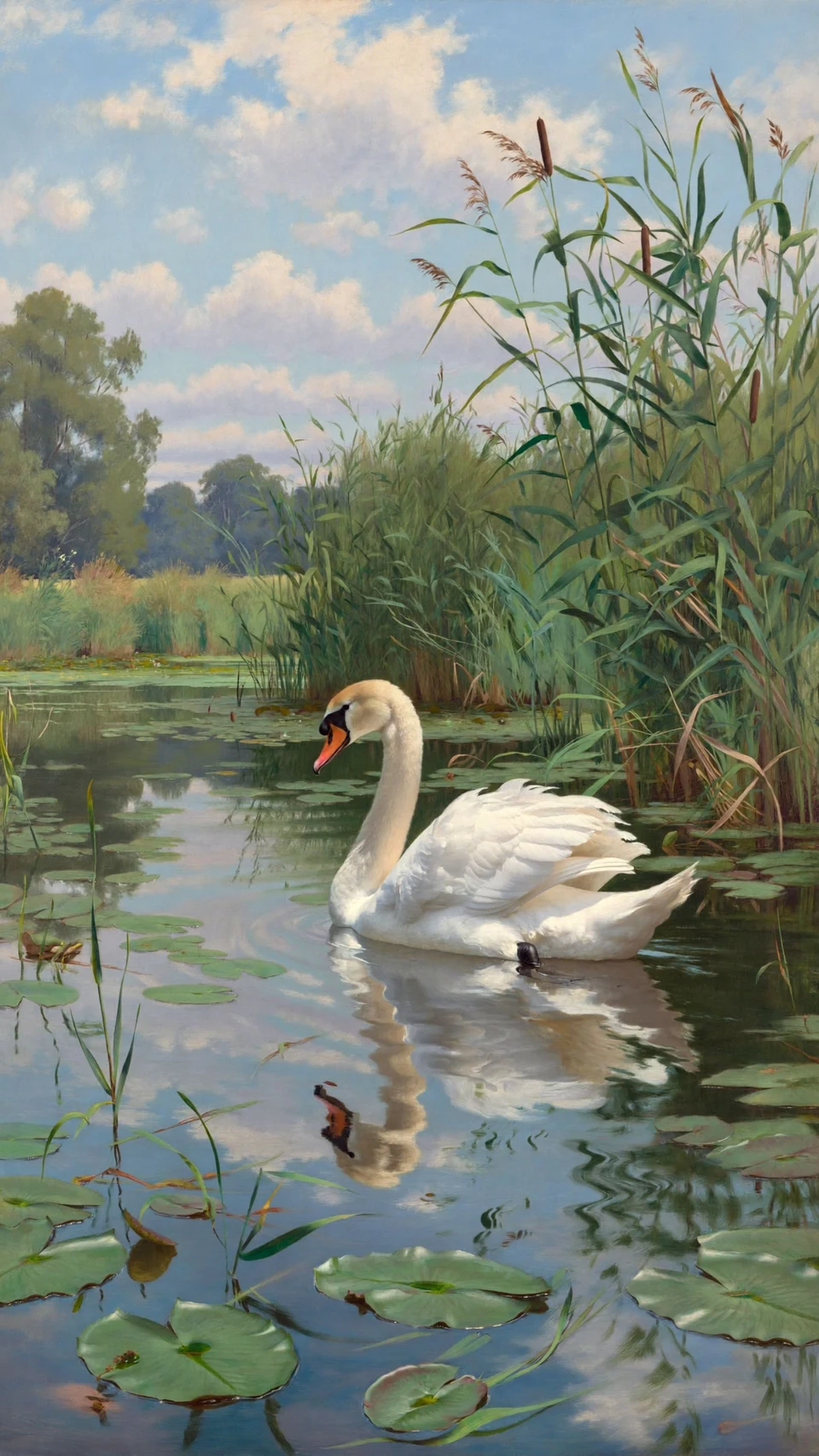
🏞Prompt to image 1: A serene and realistic painting of a white swan gracefully gliding on a calm pond, surrounded by tall green reeds and lily pads. The water reflects the swan and the blue sky above, which is dotted with soft, fluffy clouds. The composition centers the swan, creating a peaceful and tranquil mood, with lush greenery and distant trees completing the natural landscape. The brushwork is detailed and the colors are soft and natural, evoking a sense of calm and beauty in nature. 🏞 Prompt to image 2: A charming painting of a relaxed otter floating on its back in a tranquil pond surrounded by blooming white water lilies and green lily pads, with tall reeds framing the scene on both sides. The water reflects the blue sky and fluffy white clouds above, while a lush, green landscape stretches into the distance, creating a peaceful and idyllic mood. The brushstrokes are expressive, adding texture and vibrancy to the natural setting.
Open promptWallpaper directions you can explore
Desktop backgrounds
Build wide landscapes or environments with controlled horizon placement and calm areas for desktop icons.
Mobile lock screens
Use a vertical composition with a clear focal path and enough negative space around the clock and notifications.
Cinematic environments
Develop atmospheric cities, forests, space scenes, and surreal scale through viewpoint, light, haze, and depth.
Minimal and stylized art
Limit the number of elements and control geometry, gradients, palette, texture, or illustrated treatment.
How to generate an AI wallpaper
- 1
Choose the target screen
Identify desktop or mobile use, the exact or nearest supported ratio, and any interface area that needs visual quiet.
- 2
Set the focal composition
Describe the subject, viewpoint, horizon, scale, foreground, background, and where the eye should land.
- 3
Build atmosphere and style
Add time of day, weather, lighting direction, palette, depth, material, medium, and the intended level of detail.
- 4
Inspect at full size
Check edge crops, banding, artifacts, contrast behind interface elements, and sharpness on the actual device before refining the prompt.
Wallpaper models and related pages
Wallpaper prompt gallery
Browse published landscape, city, space, flower, and cyberpunk examples.
Z Image Turbo examples
Inspect published atmospheric landscape, surreal, and neon-environment prompts.
Seedream 5 examples
Explore painterly landscape and illustration prompts that can inform backgrounds.
Photorealistic prompts
Compare realistic lenses, lighting, depth, surfaces, and environmental details.
Reference image generator
Use a permitted image to guide composition, palette, or environmental direction.
What to include in a wallpaper prompt
- Name the target device, ratio, focal subject, viewpoint, horizon, and areas that need negative space.
- Control foreground-to-background depth, light direction, atmosphere, palette, and the number of competing details.
- For mobile use, keep important content away from the clock, notification, camera, and gesture areas.
- Review the result at the actual screen size for crops, banding, compression, artifacts, and readability behind icons.
AI wallpaper generator questions
- Which ratio should I use for a wallpaper?
- Use the exact device ratio when available, or the closest supported option with extra safe space for cropping. Desktop screens are often wide, while mobile lock screens need a vertical composition.
- How do I keep icons readable?
- Ask for low-detail negative space in the icon area, control contrast behind interface elements, and test the finished image on the real device rather than relying only on a preview.
- Can I use a reference image for a wallpaper?
- Yes, when the selected model supports image input and you have permission to use the source. State whether the reference should guide composition, palette, subject, or atmosphere.